> ## Documentation Index
> Fetch the complete documentation index at: https://docs.supercycle.com/llms.txt
> Use this file to discover all available pages before exploring further.
# Platform changelog
> Updates and improvements to the Supercycle platform.
## Create memberships from draft orders and POS
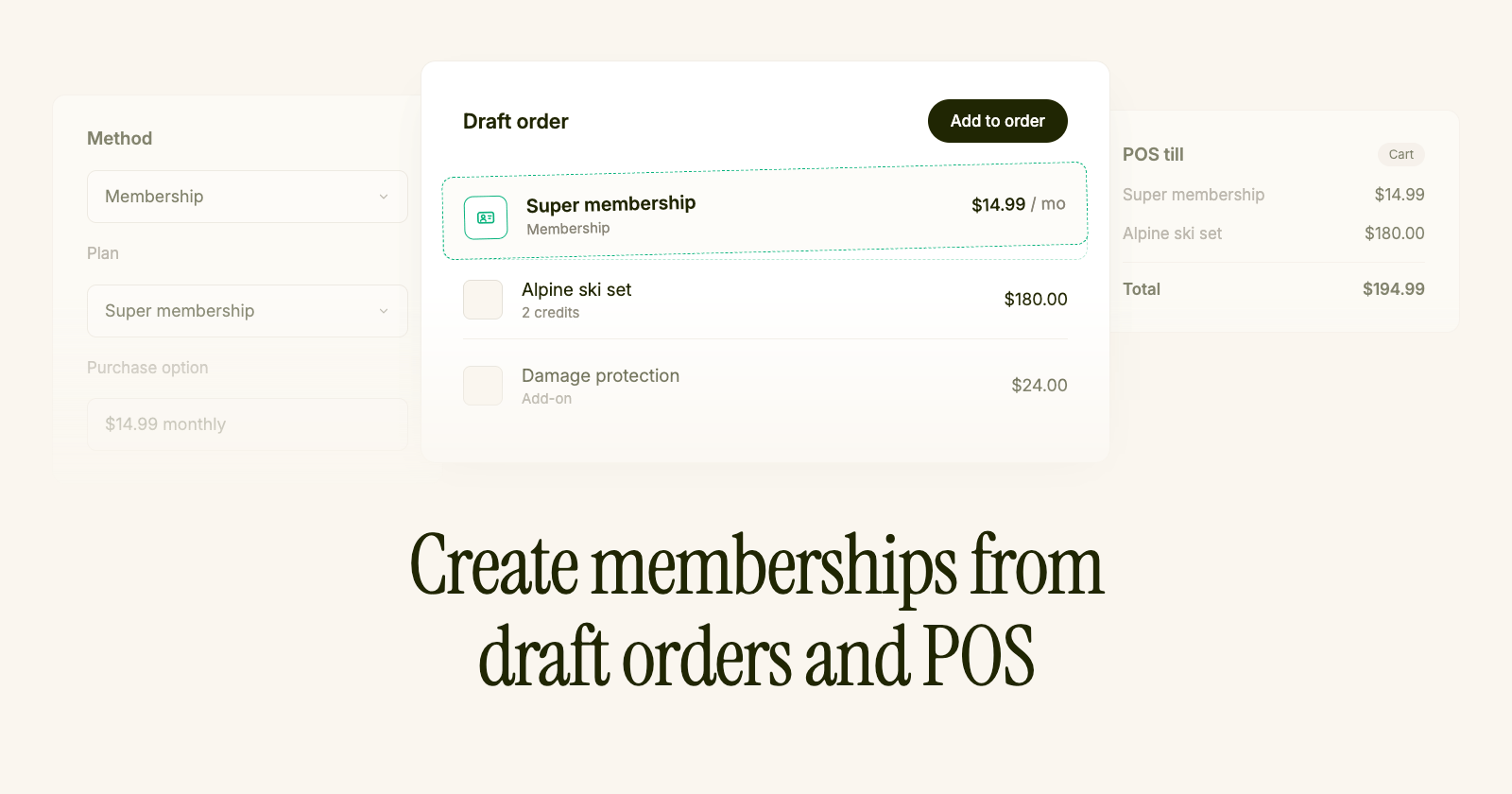 Sell a membership plan from a [draft order](/documentation/methods/membership/overview#how-staff-enroll-a-customer) or at the [till](/documentation/point-of-sale/pos-overview), so you can put a customer on a plan yourself instead of sending them to the storefront.
The [Add cycles](/documentation/manage/cycles/edit-an-order#adding-a-rental-to-an-order) action can now sell a membership plan. Pick the plan and billing option, add the items they're renting in the same order, and completing the order puts the customer on the membership.
Useful for customers who sign up in person or over the phone — previously the only way onto a membership was checking out on the storefront themselves.
A customer with no card on file can still be put on a plan. Their charges are raised as normal; you just collect them yourself until a card is added.
Memberships also look better throughout the admin, with a customer's memberships, credits and allowances gathered onto [one card](/documentation/methods/membership/managing-memberships).
## Multiple memberships
Customers can hold more than one active membership. When a logged-in customer buys another plan, Supercycle adds a new membership alongside their existing ones — previous memberships stay active.
The [customer portal](/documentation/online-store/portal) lists every active or paused membership on the dashboard. Customers open **Manage membership** on a card to view that membership's credits, allowances, and renewal date, rename it, or pause or cancel it.
In the Supercycle admin, the [customer page](/documentation/methods/membership/managing-memberships) shows one card per active or paused membership and a **Past memberships** section when a customer has ended memberships. Open a membership to view allowances, billing, and actions for that membership only. You can rename a membership from its detail page, and **View membership** on a charge now opens the correct membership page.
On the product page, the Methods app block shows [one membership option per membership](/documentation/methods/membership/product-setup#choose-a-membership-on-the-product-page) when a customer holds more than one. Customers pick which membership pays for the rental; paused memberships and memberships without enough credits for the selected option appear but cannot be selected. Credit usage and the progress bar reflect only the selected membership.
On the [Membership plans](/developers/app-blocks/membership-plans) app block, logged-in customers who already hold a membership see a note on each plan card. In the theme editor, set **Already on this plan message** and **Already a member message** under **Button settings**. Defaults explain that buying a plan adds another membership. Leave either field blank to hide it. Use `[current_plan_title]` in the member message to insert their newest plan name. Only one membership plan can be in the cart at a time.
## Terms and conditions
Require customers to accept your policies before they rent. Manage [terms and conditions](/documentation/configuration/risk/terms-and-conditions) from [Settings > Risk](https://admin.shopify.com/apps/supercycle/settings/risk): turn the shop-level toggle on, add terms records with a customer-facing title and URL, and attach them to calendar, subscription, membership, and resale method options.
Open any method option and use **Require accepted terms** to pick one or more records, or use **Apply terms** on the options table to update many options at once. The table's **Terms** column shows what's linked to each option. Paste any link — a Shopify page, a policy path, or an external URL. Deletion is blocked while an option still requires a record, and turning the shop toggle off stops checkout from requiring terms even when options are linked.
On the storefront, the [Methods app block](/developers/app-blocks/methods) shows an **Accept terms** section when the selected option requires terms. Each linked record gets its own tick row; add to cart stays disabled until every row is ticked. Switching to an option with different terms clears acceptance. Customize the section label, row label, and error message from [Languages](/documentation/online-store/languages).
On the cycle page, accepted terms appear on the **Payment** card alongside contracts — snapshot title, link, **Accepted** badge, and acceptance date. See [Cycles overview](/documentation/manage/cycles/cycles).
## Date picker blocked dates
Block which dates customers can pick on the storefront calendar from **Settings** → **Channels** → **Online store**. [Date picker blocked dates](/documentation/online-store/date-picker-blocks) replace hand-written DayPicker JSON in the Methods theme block for most stores.
Add rules for a specific date, a date range, every date before or after a cut-off, or recurring days of the week. Each rule targets start dates, end dates, or both. Rules apply store-wide wherever the Methods calendar renders on the online store.
These blocks only gate date selection — they do not change inventory availability like [Blocked dates](/documentation/manage/inventory/blocked-dates). Existing theme JSON in **Unavailable start dates** / **Unavailable end dates** still works and stacks with admin rules until those fields are removed.
* **Checkout and account requirements.** Unsigned [e-signature contracts](/documentation/configuration/risk/esignatures) now appear alongside [ID verification](/documentation/configuration/risk/identity-verification) in the **Checkout requirements** thank-you block and on the customer account **Requirements** page.
* **Admin API cycle paths.** [`/cycles`](/api-reference/admin/cycles/list-all-cycles) is now the canonical Admin API path for listing, fetching, and updating cycles; `/rentals` remains as a deprecated alias with identical behavior and unchanged request/response schemas in v1.
* **Filter cycles by fulfillment date.** [`GET /cycles`](/api-reference/admin/cycles/list-all-cycles) accepts a `fulfilledAt` date-range filter, and `updated[gte]` incremental sync now includes cycles when only fulfillment or receival timestamps change.
## Update item Shopify Flow action
Change an item's [condition](/documentation/manage/inventory/item-conditions), processing status, visibility, serial number, or pick location from a Shopify Flow workflow with the new [**Update item**](/documentation/manage/automation/automation#update-item) action. Pass `rental.item.id` from any cycle trigger and update only the fields you need — blank optional fields are ignored.
A common pattern is downgrading condition after the first completed cycle: trigger on **Cycle updated**, check `rental.item.completedCycles`, then set **Condition ID** to your target grade. See [Update item condition after first cycle](/documentation/manage/automation/create-workflow#update-item-condition-after-first-cycle) for a step-by-step recipe.
## Maximum term on subscription rentals
Subscription [pricing groups](/documentation/methods/subscription/product-setup) can now carry an optional **maximum term** — the upper bound on how long a customer may keep the items, longer than the minimum term. Leave it empty and rentals stay unbounded, same as before.
Set the maximum term when creating or editing a pricing group, filter and sort by it on the subscription options table, or [bulk-update](/documentation/manage/products/managing-method-options#bulk-actions) it across many options at once. Billing is unchanged: charges continue until the items are received, and Supercycle does not auto-cancel or set a return due date from the maximum term.
On the storefront, the subscription block shows a **Maximum term** line in the pricing summary and appends "(up to …)" to option titles when a cap is set. [Contract templates](/documentation/configuration/risk/esignatures) can reference `maximum_term` and `maximum_term_end` (available after outbound fulfillment completes).
* **Legacy customer portal removed.** Supercycle no longer serves the legacy app-proxy [customer portal](/documentation/online-store/portal) at paths like `/apps/supercycle/`. Customer self-service — viewing rentals, starting returns, managing memberships, updating payment methods, and cancelling subscriptions — now runs entirely on Shopify **new customer accounts**. If your theme navigation or marketing still links to the old dashboard or membership-plans URLs, replace them with the **Dashboard URL** from **Settings → Customer accounts**. Supercycle transactional emails now deep-link to the new portal automatically.
## Inventory schedule
Sell a membership plan from a [draft order](/documentation/methods/membership/overview#how-staff-enroll-a-customer) or at the [till](/documentation/point-of-sale/pos-overview), so you can put a customer on a plan yourself instead of sending them to the storefront.
The [Add cycles](/documentation/manage/cycles/edit-an-order#adding-a-rental-to-an-order) action can now sell a membership plan. Pick the plan and billing option, add the items they're renting in the same order, and completing the order puts the customer on the membership.
Useful for customers who sign up in person or over the phone — previously the only way onto a membership was checking out on the storefront themselves.
A customer with no card on file can still be put on a plan. Their charges are raised as normal; you just collect them yourself until a card is added.
Memberships also look better throughout the admin, with a customer's memberships, credits and allowances gathered onto [one card](/documentation/methods/membership/managing-memberships).
## Multiple memberships
Customers can hold more than one active membership. When a logged-in customer buys another plan, Supercycle adds a new membership alongside their existing ones — previous memberships stay active.
The [customer portal](/documentation/online-store/portal) lists every active or paused membership on the dashboard. Customers open **Manage membership** on a card to view that membership's credits, allowances, and renewal date, rename it, or pause or cancel it.
In the Supercycle admin, the [customer page](/documentation/methods/membership/managing-memberships) shows one card per active or paused membership and a **Past memberships** section when a customer has ended memberships. Open a membership to view allowances, billing, and actions for that membership only. You can rename a membership from its detail page, and **View membership** on a charge now opens the correct membership page.
On the product page, the Methods app block shows [one membership option per membership](/documentation/methods/membership/product-setup#choose-a-membership-on-the-product-page) when a customer holds more than one. Customers pick which membership pays for the rental; paused memberships and memberships without enough credits for the selected option appear but cannot be selected. Credit usage and the progress bar reflect only the selected membership.
On the [Membership plans](/developers/app-blocks/membership-plans) app block, logged-in customers who already hold a membership see a note on each plan card. In the theme editor, set **Already on this plan message** and **Already a member message** under **Button settings**. Defaults explain that buying a plan adds another membership. Leave either field blank to hide it. Use `[current_plan_title]` in the member message to insert their newest plan name. Only one membership plan can be in the cart at a time.
## Terms and conditions
Require customers to accept your policies before they rent. Manage [terms and conditions](/documentation/configuration/risk/terms-and-conditions) from [Settings > Risk](https://admin.shopify.com/apps/supercycle/settings/risk): turn the shop-level toggle on, add terms records with a customer-facing title and URL, and attach them to calendar, subscription, membership, and resale method options.
Open any method option and use **Require accepted terms** to pick one or more records, or use **Apply terms** on the options table to update many options at once. The table's **Terms** column shows what's linked to each option. Paste any link — a Shopify page, a policy path, or an external URL. Deletion is blocked while an option still requires a record, and turning the shop toggle off stops checkout from requiring terms even when options are linked.
On the storefront, the [Methods app block](/developers/app-blocks/methods) shows an **Accept terms** section when the selected option requires terms. Each linked record gets its own tick row; add to cart stays disabled until every row is ticked. Switching to an option with different terms clears acceptance. Customize the section label, row label, and error message from [Languages](/documentation/online-store/languages).
On the cycle page, accepted terms appear on the **Payment** card alongside contracts — snapshot title, link, **Accepted** badge, and acceptance date. See [Cycles overview](/documentation/manage/cycles/cycles).
## Date picker blocked dates
Block which dates customers can pick on the storefront calendar from **Settings** → **Channels** → **Online store**. [Date picker blocked dates](/documentation/online-store/date-picker-blocks) replace hand-written DayPicker JSON in the Methods theme block for most stores.
Add rules for a specific date, a date range, every date before or after a cut-off, or recurring days of the week. Each rule targets start dates, end dates, or both. Rules apply store-wide wherever the Methods calendar renders on the online store.
These blocks only gate date selection — they do not change inventory availability like [Blocked dates](/documentation/manage/inventory/blocked-dates). Existing theme JSON in **Unavailable start dates** / **Unavailable end dates** still works and stacks with admin rules until those fields are removed.
* **Checkout and account requirements.** Unsigned [e-signature contracts](/documentation/configuration/risk/esignatures) now appear alongside [ID verification](/documentation/configuration/risk/identity-verification) in the **Checkout requirements** thank-you block and on the customer account **Requirements** page.
* **Admin API cycle paths.** [`/cycles`](/api-reference/admin/cycles/list-all-cycles) is now the canonical Admin API path for listing, fetching, and updating cycles; `/rentals` remains as a deprecated alias with identical behavior and unchanged request/response schemas in v1.
* **Filter cycles by fulfillment date.** [`GET /cycles`](/api-reference/admin/cycles/list-all-cycles) accepts a `fulfilledAt` date-range filter, and `updated[gte]` incremental sync now includes cycles when only fulfillment or receival timestamps change.
## Update item Shopify Flow action
Change an item's [condition](/documentation/manage/inventory/item-conditions), processing status, visibility, serial number, or pick location from a Shopify Flow workflow with the new [**Update item**](/documentation/manage/automation/automation#update-item) action. Pass `rental.item.id` from any cycle trigger and update only the fields you need — blank optional fields are ignored.
A common pattern is downgrading condition after the first completed cycle: trigger on **Cycle updated**, check `rental.item.completedCycles`, then set **Condition ID** to your target grade. See [Update item condition after first cycle](/documentation/manage/automation/create-workflow#update-item-condition-after-first-cycle) for a step-by-step recipe.
## Maximum term on subscription rentals
Subscription [pricing groups](/documentation/methods/subscription/product-setup) can now carry an optional **maximum term** — the upper bound on how long a customer may keep the items, longer than the minimum term. Leave it empty and rentals stay unbounded, same as before.
Set the maximum term when creating or editing a pricing group, filter and sort by it on the subscription options table, or [bulk-update](/documentation/manage/products/managing-method-options#bulk-actions) it across many options at once. Billing is unchanged: charges continue until the items are received, and Supercycle does not auto-cancel or set a return due date from the maximum term.
On the storefront, the subscription block shows a **Maximum term** line in the pricing summary and appends "(up to …)" to option titles when a cap is set. [Contract templates](/documentation/configuration/risk/esignatures) can reference `maximum_term` and `maximum_term_end` (available after outbound fulfillment completes).
* **Legacy customer portal removed.** Supercycle no longer serves the legacy app-proxy [customer portal](/documentation/online-store/portal) at paths like `/apps/supercycle/`. Customer self-service — viewing rentals, starting returns, managing memberships, updating payment methods, and cancelling subscriptions — now runs entirely on Shopify **new customer accounts**. If your theme navigation or marketing still links to the old dashboard or membership-plans URLs, replace them with the **Dashboard URL** from **Settings → Customer accounts**. Supercycle transactional emails now deep-link to the new portal automatically.
## Inventory schedule
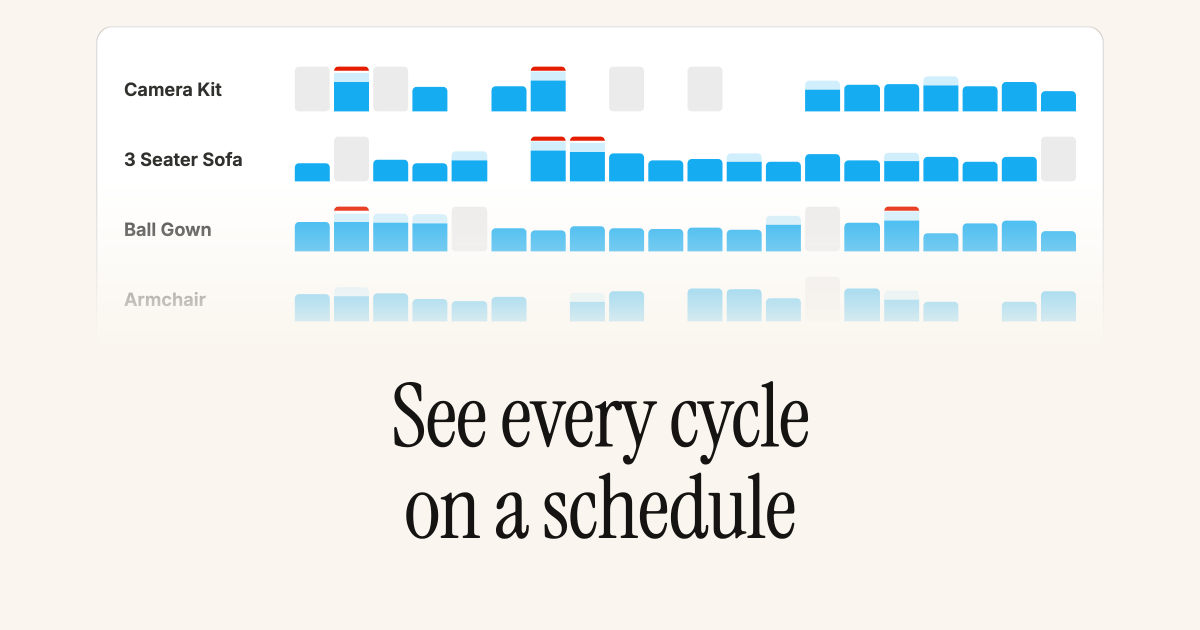 See how each variant is booked day by day from a new [Schedule](/documentation/manage/inventory/schedule) view under Inventory. Spot gaps, conflicts, and booked-out periods without opening individual items or cycles.
Each cell shows booked time, buffer turnaround, and booked-out days. Click a day to see the cycles and blocked dates behind the count. Filter by proposed cycle dates, delivery method, and return method, or jump the window with the date range control.
## Add-ons on POS rentals
[Add-ons](/documentation/manage/products/add-ons) applied to a rental option now follow through on [Shopify POS](/documentation/point-of-sale/pos-overview). When staff apply a rental method, any required or optional add-ons returned by the intent are added to the cart with the rental line, matching the online storefront. That covers deposits, damage protection, card authorisation, and any other add-on attached to the option.
* **Draft-order contracts.** Turn on **Generate contracts for draft orders** under [Settings → Risk](/documentation/configuration/risk/esignatures) and unsigned contracts are created while a draft is still open, then reused when the order is placed. On POS, staff can list a draft's contracts, share a QR or signing link, and email the customer before checkout completes.
* **Complete your purchase in the return reminder.** When [convert to purchase](/documentation/manage/cycles/convert-to-purchase) is enabled and a rental is eligible, the [return item reminder](/supercycle-notifications) email includes a **Complete your purchase** button that takes the customer to their account to finish the conversion.
* **System fields in calculated formulas.** [Calculated fields](/documentation/configuration/custom-data/calculated-fields) can reference built-in item and cycle values such as completed cycles, acquisition cost, lifecycle revenue, ROI, utilization, schedule dates, charges, and deposits, without stuffing those into custom fields first. The formula picker lists them alongside your custom-field variables.
## Per-location opening hours and time selection
Customers can now choose a **pick-up or drop-off time** when they book, and the times they see come from each location's own [opening hours](/documentation/configuration/logistics/opening-hours). A city-centre store and a warehouse can each offer their real hand-off windows.
Set weekly opening hours per location from the locations table under **Settings** > **Logistics and locations**, edit them one at a time or in bulk, and mark which locations offer in-person pick up and drop off. Turn on **time selection** for the pick up or drop off method and pick a slot interval (15 minutes, 30 minutes, or 1 hour). On the storefront, the time picker is built from the selected location's window for the chosen day, days a location is closed can't be selected for that hand-off, and the location picker shows each location's weekly hours.
## Edit restock by and prepare from dates on a cycle
Override the preparation and restock buffer dates for an individual cycle when a specific rental needs more or less turnaround than your shop-wide [logistics buffers](/documentation/configuration/logistics/buffers) would give it.
The **Outbound fulfillment** card now has an **Edit prepare from date** action, and the **Inbound receival** card has an **Edit restock by date** action. Both let you set the date directly or **Revert to automatic date** to recalculate from the shop's preparation or restock buffer. The date you set sticks until the leg's anchor date next moves.
The same overrides are available from the [`update_cycle` MCP tool](/ai/operators-mcp/tools#cycles), the [**Update cycle** Shopify Flow action](/documentation/manage/automation/automation#update-cycle), and the [Update a cycle](/api-reference/admin/cycles/update-a-cycle) endpoint on the Admin API, each accepting `prepare_from` / `restock_by` (or `prepareFrom` / `restockBy`) alongside the existing fields. Pass an empty value to revert either date to the automatic calculation.
* **Reserve draft order inventory automatically.** Rentals added to a Shopify [draft order](/documentation/manage/cycles/edit-an-order#reserving-rental-inventory-on-a-draft-order) are now held automatically while the draft is still unpaid, so a unit can't be double-booked before the customer pays, with no need to turn on Shopify's Reserve items by hand. Control it from **Settings** > **Channels** > **Draft orders**, where you can toggle the behavior and set how long the hold lasts (7 days by default).
* **See why a cycle's dates conflict.** When a cycle's dates clash with the selected item or variant, the overview card now spells out the cause instead of just flagging that a conflict exists. It reads whether the dates are taken by another rental, blocked by [blocked dates](/documentation/manage/inventory/blocked-dates), or both, and whether that applies to the assigned item or across the whole variant pool (for example, "It's booked for another rental" versus "All items have blocked dates").
* **Start and end dates on every Supercycle order.** Orders created from the admin's **Add rentals** flow, the **Create order** page, and [CSV import](/documentation/setup/importing-products) now carry the same human-readable **Start date** and **End date** line item properties that online-store orders have always had, so the rental period is legible wherever the order appears. A related fix keeps [POS](/documentation/point-of-sale/pos-overview) rental dates from drifting a day across time zones.
## Expanded analytics dashboards
Supercycle's built-in [Analytics](/documentation/manage/analytics/dashboards) has grown from a single beta view into a full set of dashboards reporting on metrics you can't get from native Shopify, calculated directly from your cycles, items, and charges.
Dashboards are grouped by what you're measuring:
* **Overview, Calendar, Subscriptions, Memberships, and Resale** track cycle throughput and, for recurring methods, billing health like failed charges and churn.
* **Revenue and Charges** cover circular revenue, growth, collection rates, and outstanding balances.
* **Items, Products, and Customers** surface the circular economics: fleet utilization, yield, lifecycle revenue and ROI, age of stock, and customer lifetime value.
Every dashboard is scoped by a date range, each metric drills into a ranked table or detailed chart, and any card exports to CSV. Item, product, and customer detail pages also gain an inline **Performance** card showing that record's key numbers, and **Ask AI** opens Shopify [Sidekick](/ai/sidekick/shopify-sidekick) for questions that need more context than a chart.
## Calculated custom fields
See how each variant is booked day by day from a new [Schedule](/documentation/manage/inventory/schedule) view under Inventory. Spot gaps, conflicts, and booked-out periods without opening individual items or cycles.
Each cell shows booked time, buffer turnaround, and booked-out days. Click a day to see the cycles and blocked dates behind the count. Filter by proposed cycle dates, delivery method, and return method, or jump the window with the date range control.
## Add-ons on POS rentals
[Add-ons](/documentation/manage/products/add-ons) applied to a rental option now follow through on [Shopify POS](/documentation/point-of-sale/pos-overview). When staff apply a rental method, any required or optional add-ons returned by the intent are added to the cart with the rental line, matching the online storefront. That covers deposits, damage protection, card authorisation, and any other add-on attached to the option.
* **Draft-order contracts.** Turn on **Generate contracts for draft orders** under [Settings → Risk](/documentation/configuration/risk/esignatures) and unsigned contracts are created while a draft is still open, then reused when the order is placed. On POS, staff can list a draft's contracts, share a QR or signing link, and email the customer before checkout completes.
* **Complete your purchase in the return reminder.** When [convert to purchase](/documentation/manage/cycles/convert-to-purchase) is enabled and a rental is eligible, the [return item reminder](/supercycle-notifications) email includes a **Complete your purchase** button that takes the customer to their account to finish the conversion.
* **System fields in calculated formulas.** [Calculated fields](/documentation/configuration/custom-data/calculated-fields) can reference built-in item and cycle values such as completed cycles, acquisition cost, lifecycle revenue, ROI, utilization, schedule dates, charges, and deposits, without stuffing those into custom fields first. The formula picker lists them alongside your custom-field variables.
## Per-location opening hours and time selection
Customers can now choose a **pick-up or drop-off time** when they book, and the times they see come from each location's own [opening hours](/documentation/configuration/logistics/opening-hours). A city-centre store and a warehouse can each offer their real hand-off windows.
Set weekly opening hours per location from the locations table under **Settings** > **Logistics and locations**, edit them one at a time or in bulk, and mark which locations offer in-person pick up and drop off. Turn on **time selection** for the pick up or drop off method and pick a slot interval (15 minutes, 30 minutes, or 1 hour). On the storefront, the time picker is built from the selected location's window for the chosen day, days a location is closed can't be selected for that hand-off, and the location picker shows each location's weekly hours.
## Edit restock by and prepare from dates on a cycle
Override the preparation and restock buffer dates for an individual cycle when a specific rental needs more or less turnaround than your shop-wide [logistics buffers](/documentation/configuration/logistics/buffers) would give it.
The **Outbound fulfillment** card now has an **Edit prepare from date** action, and the **Inbound receival** card has an **Edit restock by date** action. Both let you set the date directly or **Revert to automatic date** to recalculate from the shop's preparation or restock buffer. The date you set sticks until the leg's anchor date next moves.
The same overrides are available from the [`update_cycle` MCP tool](/ai/operators-mcp/tools#cycles), the [**Update cycle** Shopify Flow action](/documentation/manage/automation/automation#update-cycle), and the [Update a cycle](/api-reference/admin/cycles/update-a-cycle) endpoint on the Admin API, each accepting `prepare_from` / `restock_by` (or `prepareFrom` / `restockBy`) alongside the existing fields. Pass an empty value to revert either date to the automatic calculation.
* **Reserve draft order inventory automatically.** Rentals added to a Shopify [draft order](/documentation/manage/cycles/edit-an-order#reserving-rental-inventory-on-a-draft-order) are now held automatically while the draft is still unpaid, so a unit can't be double-booked before the customer pays, with no need to turn on Shopify's Reserve items by hand. Control it from **Settings** > **Channels** > **Draft orders**, where you can toggle the behavior and set how long the hold lasts (7 days by default).
* **See why a cycle's dates conflict.** When a cycle's dates clash with the selected item or variant, the overview card now spells out the cause instead of just flagging that a conflict exists. It reads whether the dates are taken by another rental, blocked by [blocked dates](/documentation/manage/inventory/blocked-dates), or both, and whether that applies to the assigned item or across the whole variant pool (for example, "It's booked for another rental" versus "All items have blocked dates").
* **Start and end dates on every Supercycle order.** Orders created from the admin's **Add rentals** flow, the **Create order** page, and [CSV import](/documentation/setup/importing-products) now carry the same human-readable **Start date** and **End date** line item properties that online-store orders have always had, so the rental period is legible wherever the order appears. A related fix keeps [POS](/documentation/point-of-sale/pos-overview) rental dates from drifting a day across time zones.
## Expanded analytics dashboards
Supercycle's built-in [Analytics](/documentation/manage/analytics/dashboards) has grown from a single beta view into a full set of dashboards reporting on metrics you can't get from native Shopify, calculated directly from your cycles, items, and charges.
Dashboards are grouped by what you're measuring:
* **Overview, Calendar, Subscriptions, Memberships, and Resale** track cycle throughput and, for recurring methods, billing health like failed charges and churn.
* **Revenue and Charges** cover circular revenue, growth, collection rates, and outstanding balances.
* **Items, Products, and Customers** surface the circular economics: fleet utilization, yield, lifecycle revenue and ROI, age of stock, and customer lifetime value.
Every dashboard is scoped by a date range, each metric drills into a ranked table or detailed chart, and any card exports to CSV. Item, product, and customer detail pages also gain an inline **Performance** card showing that record's key numbers, and **Ask AI** opens Shopify [Sidekick](/ai/sidekick/shopify-sidekick) for questions that need more context than a chart.
## Calculated custom fields
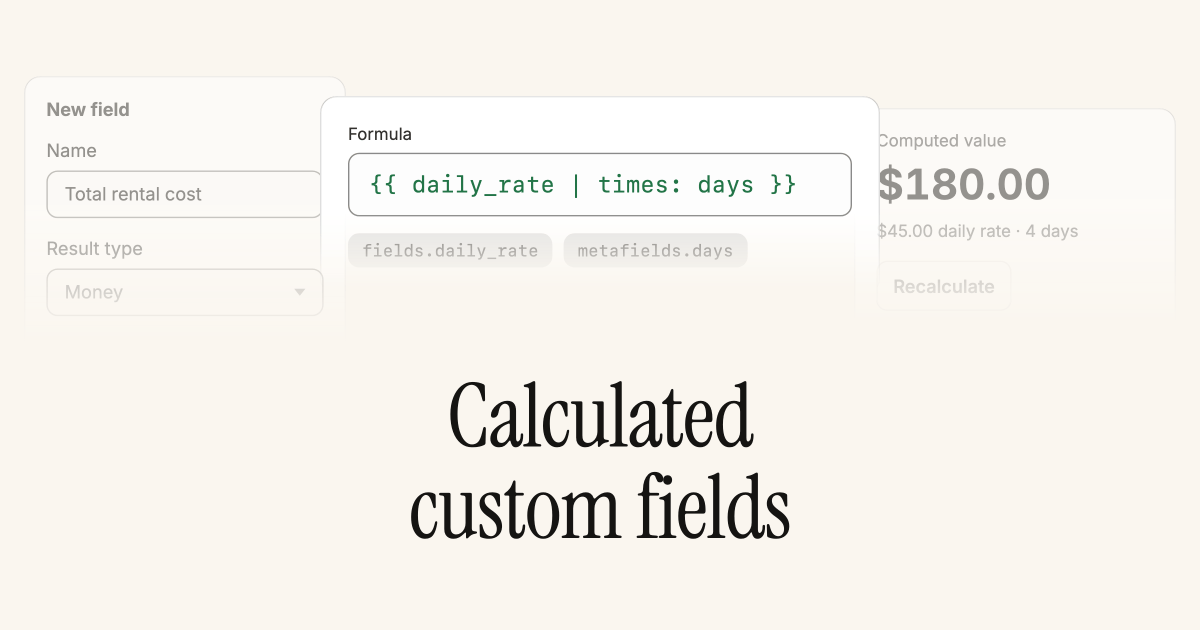 Turn the data you already capture into insight. [Calculated fields](/documentation/configuration/custom-data/calculated-fields) are read-only custom fields whose value is computed from a [Liquid](https://shopify.dev/docs/api/liquid) formula, so you can express business logic directly against your items, cycles, and consignors, no code required.
A single formula can reference:
* Any scalar Supercycle custom field on the record (`fields.`), and on cycles also the rented item's fields (`item.fields.`).
* The linked Shopify variant's `price` and `unit_cost`, plus variant and product metafields (`variant.metafields.`, `variant.product.metafields.`).
That combination unlocks metrics that used to live in spreadsheets:
* **Utilization**: miles or hours completed during a cycle, and a running total on the item across every cycle.
* **Unit economics**: revenue-per-cycle, margin, and time-to-breakeven derived from acquisition cost and average revenue per cycle.
* **Operational flags**: booleans that light up when an item hits a service interval, has broken even, or exceeds a replacement-cost threshold.
Formulas support the full Liquid toolkit: filters like `plus`, `times`, `divided_by`, `default`, and `date`; control flow with `{% if %}` and `{% case %}`; and intermediate values with `{% assign %}`. Values recalculate on demand via a **Recalculate** button on each field, so you always know when a number reflects the latest inputs.
## Custom fields on POS rentals
Fill in [rental custom fields](/documentation/configuration/custom-data/custom-fields) as part of the [create rentals flow on POS](/documentation/point-of-sale/pos-overview#custom-fields-on-pos-rentals), so in-store bookings capture the same data as rentals created from the admin.
Single line and multi line text field definitions render on the POS rental method screen (multi line as a text area). Values flow through to the cycle at ingestion and land on the rental record just like a field set from admin. Other field types (date, boolean, references, etc.) are hidden on POS.
## Add-ons
Turn the data you already capture into insight. [Calculated fields](/documentation/configuration/custom-data/calculated-fields) are read-only custom fields whose value is computed from a [Liquid](https://shopify.dev/docs/api/liquid) formula, so you can express business logic directly against your items, cycles, and consignors, no code required.
A single formula can reference:
* Any scalar Supercycle custom field on the record (`fields.`), and on cycles also the rented item's fields (`item.fields.`).
* The linked Shopify variant's `price` and `unit_cost`, plus variant and product metafields (`variant.metafields.`, `variant.product.metafields.`).
That combination unlocks metrics that used to live in spreadsheets:
* **Utilization**: miles or hours completed during a cycle, and a running total on the item across every cycle.
* **Unit economics**: revenue-per-cycle, margin, and time-to-breakeven derived from acquisition cost and average revenue per cycle.
* **Operational flags**: booleans that light up when an item hits a service interval, has broken even, or exceeds a replacement-cost threshold.
Formulas support the full Liquid toolkit: filters like `plus`, `times`, `divided_by`, `default`, and `date`; control flow with `{% if %}` and `{% case %}`; and intermediate values with `{% assign %}`. Values recalculate on demand via a **Recalculate** button on each field, so you always know when a number reflects the latest inputs.
## Custom fields on POS rentals
Fill in [rental custom fields](/documentation/configuration/custom-data/custom-fields) as part of the [create rentals flow on POS](/documentation/point-of-sale/pos-overview#custom-fields-on-pos-rentals), so in-store bookings capture the same data as rentals created from the admin.
Single line and multi line text field definitions render on the POS rental method screen (multi line as a text area). Values flow through to the cycle at ingestion and land on the rental record just like a field set from admin. Other field types (date, boolean, references, etc.) are hidden on POS.
## Add-ons
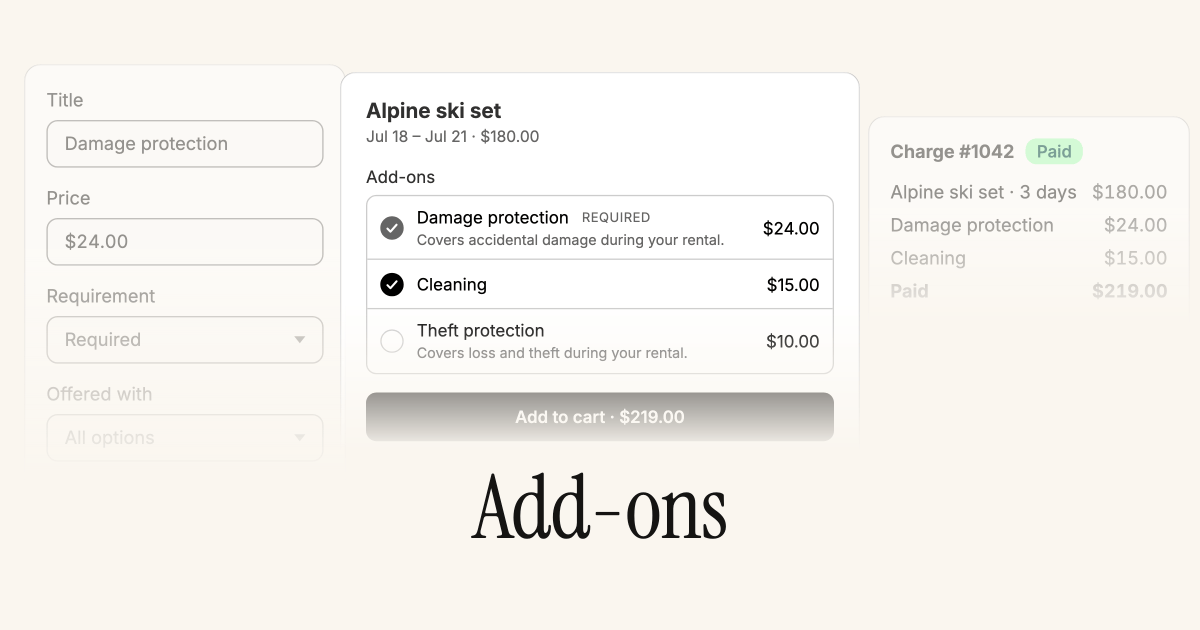 Offer extras like damage protection, cleaning, or accessories alongside your rentals. [Add-ons](/documentation/manage/products/add-ons) live under **Products > Add-ons** — Supercycle owns the hidden Shopify product and syncs each price as a variant.
Apply an add-on to any Calendar, Membership, Subscription, or Resale option with a price and an **Optional** or **Required** setting, or bulk-apply across many options at once. Selected add-on variants are added to the cart alongside the rental, and are recorded against the fulfilled rental at their sold price so they flow through to charges and reporting.
## Reserve rental inventory on draft orders
Turn on Shopify's **Reserve items** on a draft order containing a rental, and Supercycle holds the picked unit for the rental window so nothing else can book it while the draft is unpaid. See [Edit cycles on order](/documentation/manage/cycles/edit-an-order#reserving-rental-inventory-on-a-draft-order).
The block releases automatically when the reserve is turned off, the draft is paid or cancelled, the rental line is removed, or the reserve expires. Changing the rental dates on the draft refreshes the held window.
## Finance comes to items
Offer extras like damage protection, cleaning, or accessories alongside your rentals. [Add-ons](/documentation/manage/products/add-ons) live under **Products > Add-ons** — Supercycle owns the hidden Shopify product and syncs each price as a variant.
Apply an add-on to any Calendar, Membership, Subscription, or Resale option with a price and an **Optional** or **Required** setting, or bulk-apply across many options at once. Selected add-on variants are added to the cart alongside the rental, and are recorded against the fulfilled rental at their sold price so they flow through to charges and reporting.
## Reserve rental inventory on draft orders
Turn on Shopify's **Reserve items** on a draft order containing a rental, and Supercycle holds the picked unit for the rental window so nothing else can book it while the draft is unpaid. See [Edit cycles on order](/documentation/manage/cycles/edit-an-order#reserving-rental-inventory-on-a-draft-order).
The block releases automatically when the reserve is turned off, the draft is paid or cancelled, the rental line is removed, or the reserve expires. Changing the rental dates on the draft refreshes the held window.
## Finance comes to items
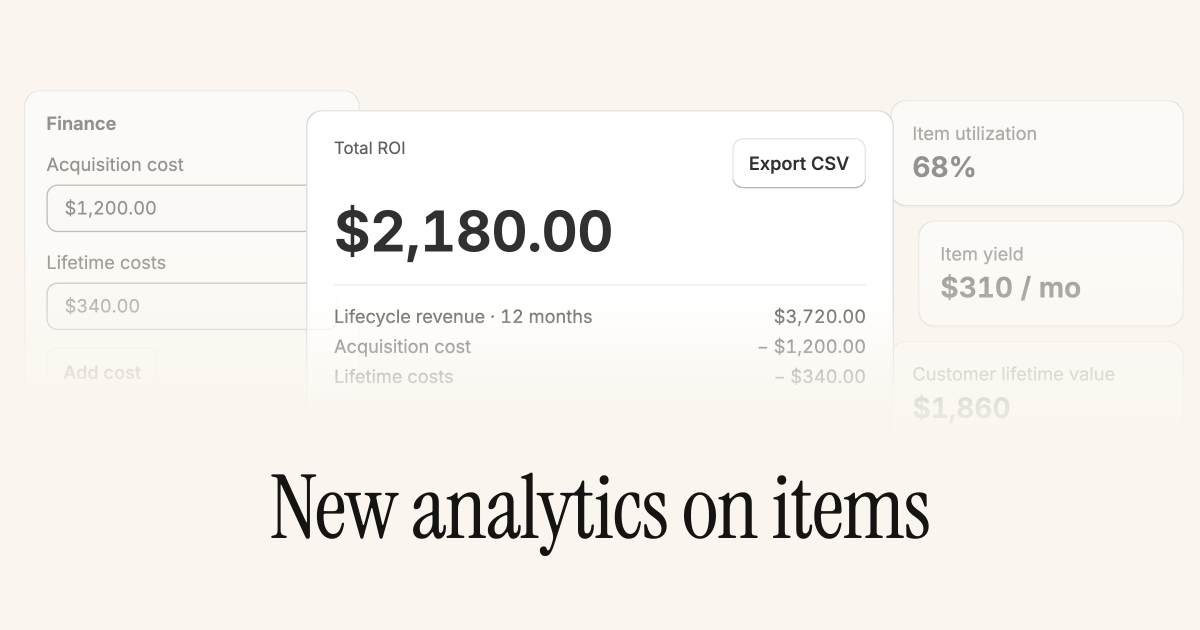 We're rolling out deeper finance reporting and controls for items, starting with acquisition costs and lifetime ROI.
Record acquisition cost and lifetime costs in a new Finance card on the item page. **Total ROI** appears alongside your existing analytics tiles, calculated as lifecycle revenue minus acquisition cost minus lifetime costs.
## Consignment
We're rolling out deeper finance reporting and controls for items, starting with acquisition costs and lifetime ROI.
Record acquisition cost and lifetime costs in a new Finance card on the item page. **Total ROI** appears alongside your existing analytics tiles, calculated as lifecycle revenue minus acquisition cost minus lifetime costs.
## Consignment
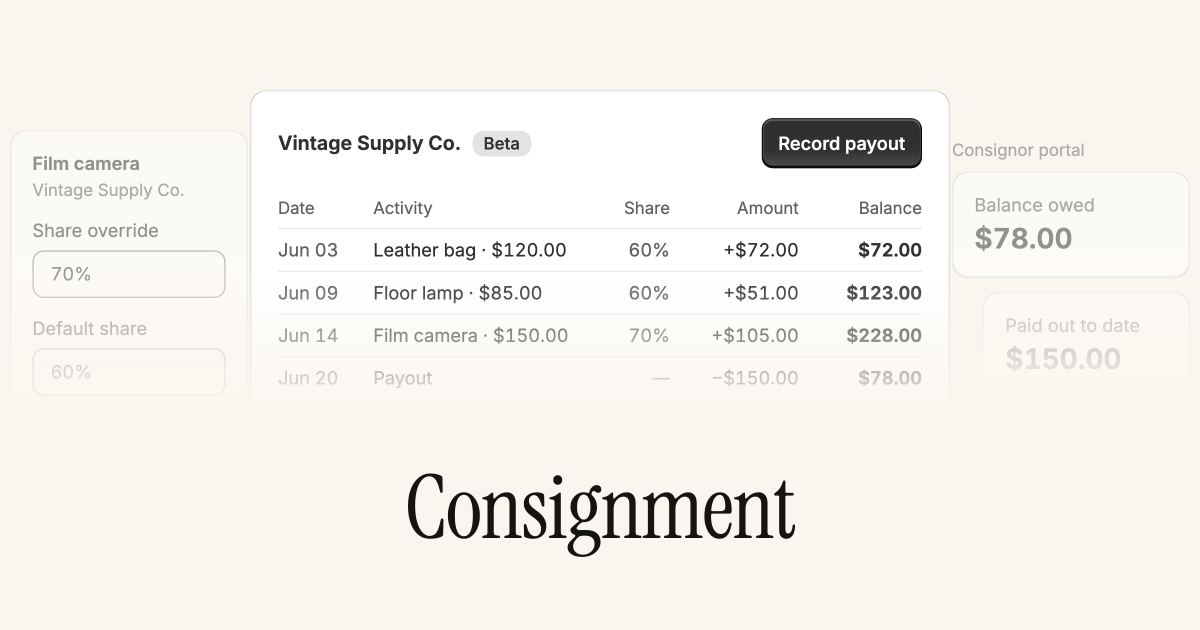 Sell stock owned by brand partners and track the revenue share you owe them. [Consignment](/documentation/manage/consignment/overview) is currently in beta and off by default. Contact support to request access.
Add consignors, assign items, and set a default revenue share (with per-item overrides). Supercycle builds a running balance as their items are paid for, reverses it on refunds, and lets you record payouts to settle up. Consignors can follow their balance, activity, and payouts in their own portal.
## Revamped Scanner app
Sell stock owned by brand partners and track the revenue share you owe them. [Consignment](/documentation/manage/consignment/overview) is currently in beta and off by default. Contact support to request access.
Add consignors, assign items, and set a default revenue share (with per-item overrides). Supercycle builds a running balance as their items are paid for, reverses it on refunds, and lets you record payouts to settle up. Consignors can follow their balance, activity, and payouts in their own portal.
## Revamped Scanner app
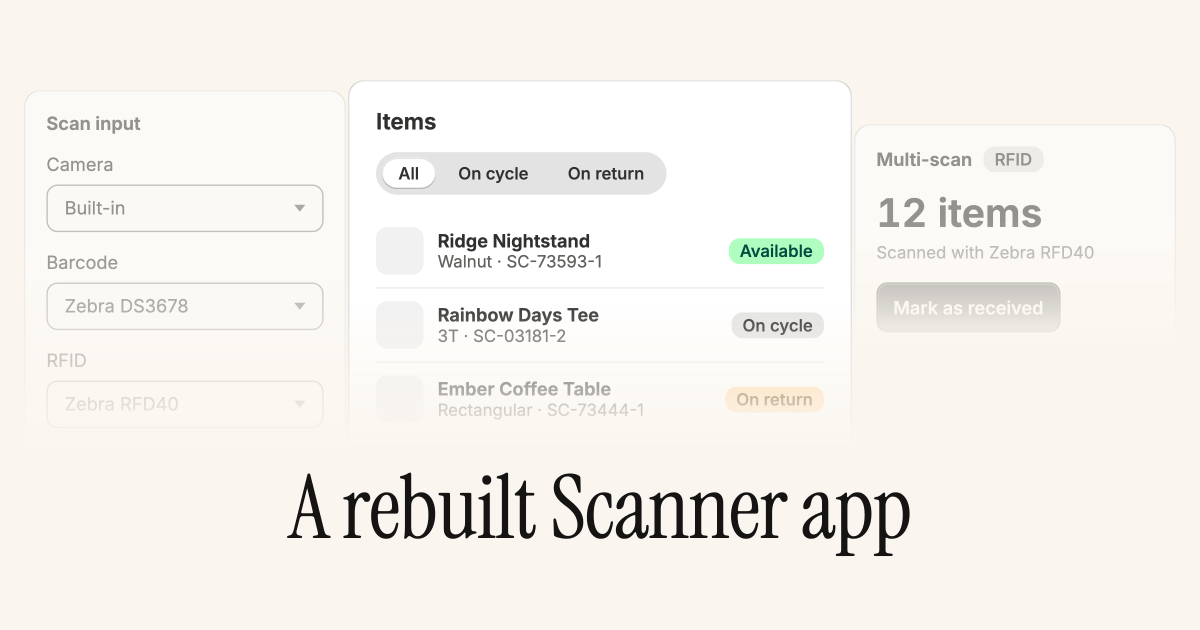 The [Supercycle Scanner app](/documentation/manage/scanner/scanner) on iOS and Android has been rebuilt from the ground up, with a new design, faster workflows, and clearer bulk scanning on Zebra devices.
Lists for items, cycles, and returns use a cleaner layout with status pills and quick filters. Detail screens group the information you need into scannable cards, and you can edit serial numbers, pick locations, and warehouse assignments inline without leaving the page.
**Choose your scanner.** Turn camera, Zebra barcode, and Zebra RFID on or off independently from **Settings → Scanners**. The camera opens a single-item flow: scan a tag and jump straight to the item, cycle, or return. Zebra barcode and RFID start a multi-scan session: keep scanning to build a list, then run [bulk actions](/documentation/manage/scanner/scanner-actions#bulk-actions) across the selection (receive return, set visibility, warehouse, pick location, change product, or create items from unknown tags).
* Newly created items resolve instantly in a multi-scan session (no re-scan needed).
* Tap a matched row to open its detail page from the multi-scan list.
* RFID reads that pick up multiple tags at once are split into one item per tag.
## Hourly pick-up and drop-off slots
Set preparation and restock buffers in hours (not just whole days), and the storefront calendar greys out pick-up and drop-off times when nothing is free at that instant.
Sub-day buffers unlock tighter scheduling for in-store handover: a six-hour prep window or a two-hour restock no longer has to round up to a full day. When a customer picks a start or end date, unavailable time slots are disabled and the selection advances to the first free slot.
* The methods app block now shows **Total first payment** (deposit + recurring) when a subscription rental has a deposit, not just the recurring amount alone.
* Calendar availability filtering is faster on stores with large variant catalogs.
## Ask Sidekick about your cycles
The [Supercycle Scanner app](/documentation/manage/scanner/scanner) on iOS and Android has been rebuilt from the ground up, with a new design, faster workflows, and clearer bulk scanning on Zebra devices.
Lists for items, cycles, and returns use a cleaner layout with status pills and quick filters. Detail screens group the information you need into scannable cards, and you can edit serial numbers, pick locations, and warehouse assignments inline without leaving the page.
**Choose your scanner.** Turn camera, Zebra barcode, and Zebra RFID on or off independently from **Settings → Scanners**. The camera opens a single-item flow: scan a tag and jump straight to the item, cycle, or return. Zebra barcode and RFID start a multi-scan session: keep scanning to build a list, then run [bulk actions](/documentation/manage/scanner/scanner-actions#bulk-actions) across the selection (receive return, set visibility, warehouse, pick location, change product, or create items from unknown tags).
* Newly created items resolve instantly in a multi-scan session (no re-scan needed).
* Tap a matched row to open its detail page from the multi-scan list.
* RFID reads that pick up multiple tags at once are split into one item per tag.
## Hourly pick-up and drop-off slots
Set preparation and restock buffers in hours (not just whole days), and the storefront calendar greys out pick-up and drop-off times when nothing is free at that instant.
Sub-day buffers unlock tighter scheduling for in-store handover: a six-hour prep window or a two-hour restock no longer has to round up to a full day. When a customer picks a start or end date, unavailable time slots are disabled and the selection advances to the first free slot.
* The methods app block now shows **Total first payment** (deposit + recurring) when a subscription rental has a deposit, not just the recurring amount alone.
* Calendar availability filtering is faster on stores with large variant catalogs.
## Ask Sidekick about your cycles
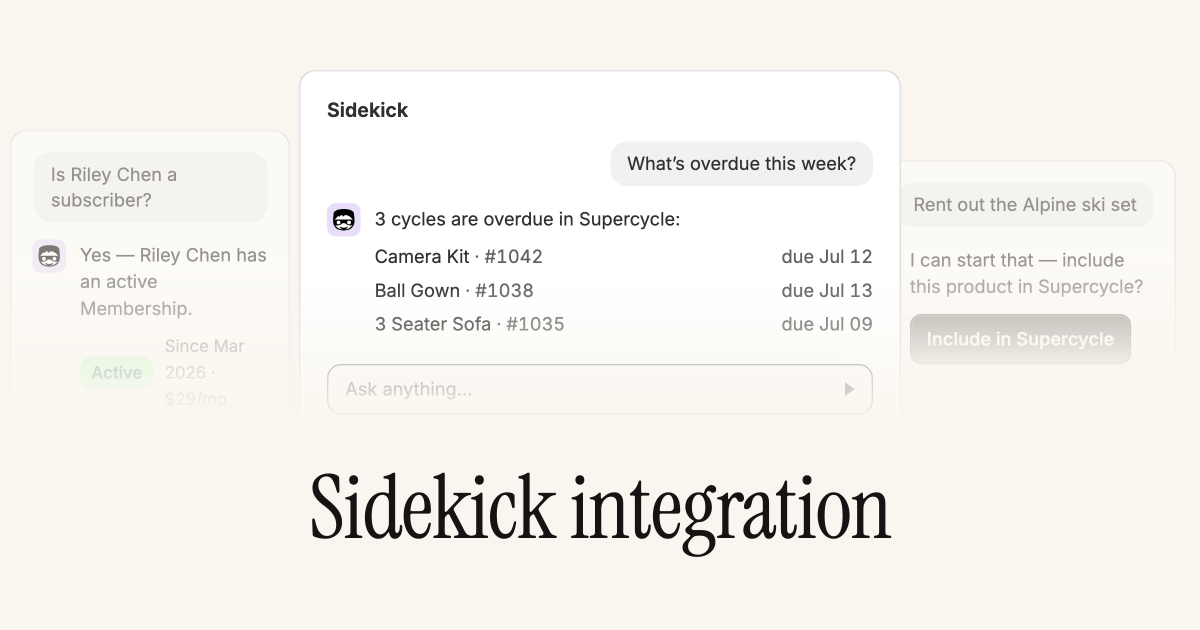 [Shopify Sidekick](/ai/sidekick/shopify-sidekick) can now search your Supercycle data and include products in your catalog without leaving Shopify admin.
Ask natural-language questions about cycles, customers, and return orders, such as what's overdue, who's a subscriber, or which returns are still expected. Sidekick can also start the **Include in Supercycle** flow for an existing Shopify product, so you can set it up for cycles conversationally.
## Custom fields, upgraded
Define more field types on items and cycles (integer, color, URL, JSON, and item references) and edit values in a Shopify-style read-only box that opens a click-to-edit popover. See [Custom data](/documentation/configuration/custom-data/custom-fields).
Reference fields link straight to the related record. The type picker is grouped into sections (Text, Reference, Number, Date and time, Other, Advanced) so it's easier to find the right type when you're setting up a new definition.
## Extend a cycle
Lengthen an active calendar cycle without cancelling and rebooking, from the admin, or by the customer from their own account.
A customer who wants to keep an item a little longer can extend it and pay the difference themselves, instead of emailing you to sort it out. From the admin you can extend any cycle, override the charge, and set a custom end date. Let customers do it themselves by turning on extensions in **Settings → Customer accounts → Cycle actions**.
* **Block dates now support times:** set a block to a specific time (not just a whole day), give it a description, and import or export blocks in bulk via CSV.
* Bulk-update the product or variant for many selected items at once.
* New **Mark as received** action on receivals, split out from **Create return** for quicker handling.
* Add a brand-new customer while creating an order, not just pick an existing one.
* The method options CSV import/export now includes **ID verification** and **Contract** columns.
* New Shopify Flow action: **Create a payment attempt**.
## Pick up and drop off return methods
Customers can now choose how they return an item (ship it back or drop it off), and you can run pickup/drop-off only by switching shipping off.
Return logistics now mirror delivery: the storefront shows a return method picker when more than one is enabled, and availability and scheduling follow the customer's choice, so each return is scheduled on the right timeline. Stores that only do in-person handover can disable shipping entirely, as long as one delivery and one return method stay on.
## Request ID verification from the admin
[Shopify Sidekick](/ai/sidekick/shopify-sidekick) can now search your Supercycle data and include products in your catalog without leaving Shopify admin.
Ask natural-language questions about cycles, customers, and return orders, such as what's overdue, who's a subscriber, or which returns are still expected. Sidekick can also start the **Include in Supercycle** flow for an existing Shopify product, so you can set it up for cycles conversationally.
## Custom fields, upgraded
Define more field types on items and cycles (integer, color, URL, JSON, and item references) and edit values in a Shopify-style read-only box that opens a click-to-edit popover. See [Custom data](/documentation/configuration/custom-data/custom-fields).
Reference fields link straight to the related record. The type picker is grouped into sections (Text, Reference, Number, Date and time, Other, Advanced) so it's easier to find the right type when you're setting up a new definition.
## Extend a cycle
Lengthen an active calendar cycle without cancelling and rebooking, from the admin, or by the customer from their own account.
A customer who wants to keep an item a little longer can extend it and pay the difference themselves, instead of emailing you to sort it out. From the admin you can extend any cycle, override the charge, and set a custom end date. Let customers do it themselves by turning on extensions in **Settings → Customer accounts → Cycle actions**.
* **Block dates now support times:** set a block to a specific time (not just a whole day), give it a description, and import or export blocks in bulk via CSV.
* Bulk-update the product or variant for many selected items at once.
* New **Mark as received** action on receivals, split out from **Create return** for quicker handling.
* Add a brand-new customer while creating an order, not just pick an existing one.
* The method options CSV import/export now includes **ID verification** and **Contract** columns.
* New Shopify Flow action: **Create a payment attempt**.
## Pick up and drop off return methods
Customers can now choose how they return an item (ship it back or drop it off), and you can run pickup/drop-off only by switching shipping off.
Return logistics now mirror delivery: the storefront shows a return method picker when more than one is enabled, and availability and scheduling follow the customer's choice, so each return is scheduled on the right timeline. Stores that only do in-person handover can disable shipping entirely, as long as one delivery and one return method stay on.
## Request ID verification from the admin
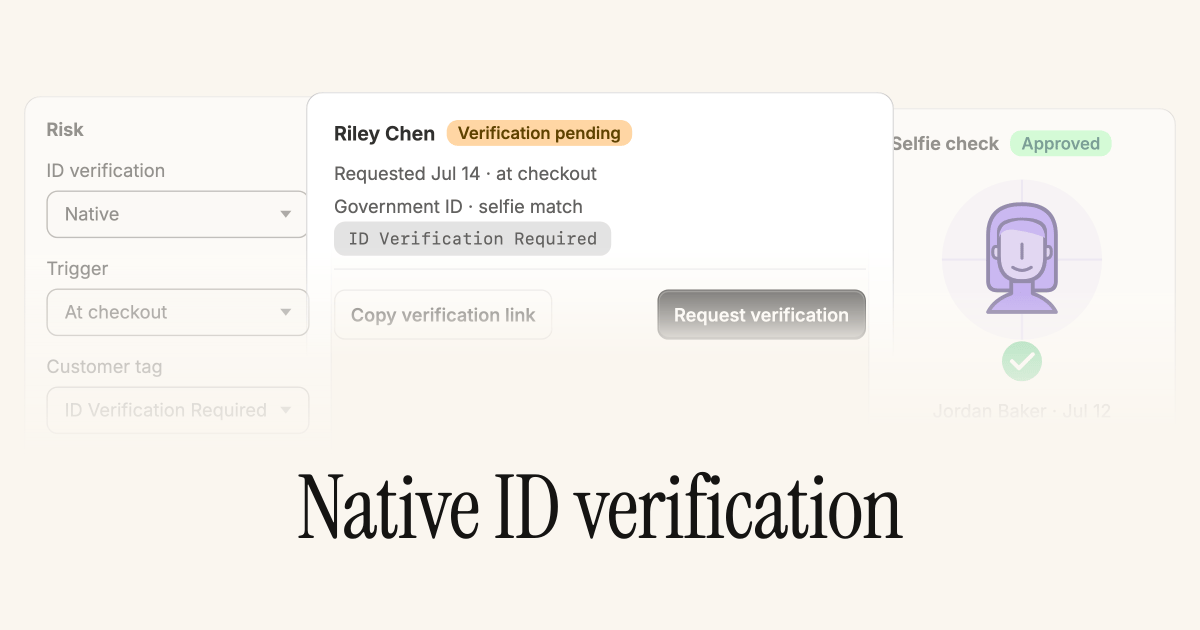 Trigger an ID verification straight from a customer's page, and manage the whole feature from a new section under **Settings → Risk**.
You no longer have to wait for a customer to hit a verification gate at checkout. If something looks off, request [identity verification](/documentation/configuration/risk/identity-verification) yourself, and Supercycle applies the **ID Verification Required** tag just like the automatic flow.
* **Managed deposits:** add your deposit prices under **Settings → Risk** and Supercycle creates and manages the deposit product and its variants for you.
* Deposit cart validation is now enforced at checkout completion, not just in the cart.
* Custom SMTP now retries transient send failures, so a brief blip on your mail server doesn't drop a customer email.
* New `checkout_context` metafield passes Supercycle's view of the cart to checkout UI extensions.
## Send emails from your own domain
Configure [custom SMTP in settings](/supercycle-notifications#custom-smtp) and customer emails go out from your domain instead of ours.
Emails sent from your own domain reinforce your brand and give you control over your own sender reputation. Turn it on in **Settings → Emails**.
## Block dates for items, variants or products
Block availability for a specific item, for every item on a variant, or for every item across a whole product. Set a from and to date, or leave them blank for an indefinite block.
Perfect for store closures, scheduled servicing, or a venue going offline for a weekend. Stock you can't fulfil stops being bookable, so you avoid orders you'd have to cancel.
## Cart timer
[Automatically remove Supercycle items](/documentation/online-store/cart-timer) from customers' carts after a set time.
Rental stock is finite, and an abandoned cart can hold a unit hostage. Auto-expiry returns held inventory to the pool, reducing the chance of overbooking.
* New Shopify Flow triggers for **ID verification** and **e-signatures**, firing when the status of an ID verification or e-signature is updated.
## E-signatures on contracts, for online store and POS
Customers can [sign contracts](/documentation/configuration/risk/esignatures) at online checkout and at the point of sale.
Every cycle now carries the same signed-contract audit trail, whether it started online or in store, so you have a clear record to fall back on if an item comes back damaged or late.
* New Shopify Flow triggers and actions: new triggers for cycles, memberships, returns, and failed charges, plus actions to create charges, update cycles, add tags, re-allocate items, and update memberships. See [Automation](/documentation/manage/automation/automation).
* Update a subscription's billing anchor date as part of a Shopify Flow workflow.
## MCPs for builders and operators
[Connect your AI tools directly to Supercycle](https://supercycle.com/news/launching-mcp-servers) to query your data, automate workflows, and build custom tools without leaving your AI assistant.
Your team can answer "what's overdue?" or kick off an operational task straight from Claude or ChatGPT, instead of clicking through the admin or waiting on an integration.
## Rentals are now Cycles
"Rental" has become "[Cycle](https://supercycle.com/news/rentals-are-now-cycles)" throughout Supercycle.
A single product can move through rental, resale, trade-in, and subscription. "Rental" was too small a word for that. You'll see the updated terminology across the admin and Flow triggers over the coming weeks. The existing API is unchanged; a new API reflecting the updated modelling is on the way.
## Support for Shopify markets and pricing by item condition
Set pricing on method options by specific markets, variants, and item conditions, so a "well loved" unit can list below an "as new" one, and prices can follow each market.
## Filter rentals by item overlap conflict, then bulk re-allocate
See overlapping rentals (with filters for whether an alternative item is free), and resolve them in bulk with **Re-allocate item** from the reservations table actions.
* [RFID scanning on Zebra devices](/documentation/manage/scanner/scanner): warehouse and fulfilment teams can scan RFID-tagged items directly through the Supercycle scanner app.
* Update subscription billing day and recurring price using a Shopify Flow action.
* **Destination** column on the rentals table, making it easier to manage fulfilment at a glance.
* See and filter ID verification status directly on the rentals table.
* Checkout price on all methods can now be set to zero.
## Import 'vaulted cards' from Stripe
On request, we can enable an [Import from Stripe](/documentation/configuration/migrations/stripe) feature that brings previously vaulted cards from Stripe into Shopify.
Moving from Stripe usually means asking every customer to re-enter their card. Importing vaulted cards keeps existing subscriptions billing without interruption, so migrating doesn't cost you active contracts.
* Show, hide, and re-order columns on Reservations, Customers, Products, Returns, Inventory, and Charges.
* [New custom data fields](https://admin.shopify.com/apps/supercycle/settings/custom-data): money, customer, rental, return, multi-line text, true/false, date, and date/time data types on items and rentals.
* Export calendar, membership, and resale options to CSV.
## Deposits on calendar methods
[Add a deposit to calendar methods](/documentation/configuration/risk/deposits), then track which customers you hold deposits for and manage their return.
A refundable deposit covers you against damage or non-return on higher-value items, letting you rent out kit you'd otherwise hold back, without taking on the full risk.
* Filter customers by ID verification status.
* Show tooltips and help text on Methods app block labels to give customers more information. Set these up in Languages in settings.
* Failed charge emails now include a summary of the charge and a link to pay any outstanding balance.
## New rental Shopify Flow triggers
Trigger a Shopify Flow on **Rental created**, **Rental updated**, and **Rental cancelled**.
Automate the busywork around a rental's lifecycle (tag an order, notify a 3PL, or start a fulfilment task) without anyone watching the admin.
* Add new rentals to a draft order in a Shopify order via **Add rentals** in the **More actions** drop-down. Enable it from [beta features](https://admin.shopify.com/apps/supercycle/settings/features). This also changes the current **Create order** workflow from Reservations.
## Subscriptions on Shopify POS
[Start subscriptions from Shopify POS](/documentation/point-of-sale/pos-overview) using the POS extensions for Supercycle.
Sign a customer up to a membership or subscription at the counter, so in-store sales convert into recurring revenue instead of one-off transactions.
## Scanner app on iOS and Android
[Download the Supercycle Scanner app](/documentation/manage/scanner/scanner) to scan items, update records, and manage rental operations from your phone.
Your warehouse team works on the floor, not at a desk. The app puts item lookups and status updates in their hand instead of sending them back to a terminal.
## Update pricing in bulk
[Update pricing on method options in bulk](/documentation/manage/products/managing-method-options) with the new method options table. Enable it from beta features.
Roll out a seasonal price change across hundreds of products in a single pass.
* [New admin blocks](/documentation/setup/admin-setup) on customers and products in Shopify, making it easy to see the relationship between Shopify and Supercycle across the admin.
* New **Get rental data** action for [Shopify Flow](/documentation/manage/automation/automation#get-rental-data) to retrieve rental information for use in conditional logic during workflows.
* More detailed timeline events on rentals, making it easy to see what happened, when, and by whom.
* Updated customer page to better show active and upcoming rentals as well as returns in progress.
## Membership plan permalink
Copy a cart permalink from any membership plan in settings.
Drop the link in an email or campaign and the customer lands at checkout with the plan already in their cart. No navigating, and fewer drop-offs on the way to signing up.
* Require the customer to enter a start date for the subscription method.
* Filter rentals by subscription status (for example **Billing active** or **Billing paused**).
* [Automatically pause subscription billing](/documentation/methods/subscription) when a customer requests a return from their customer account, or when a return is created from the admin.
## Add rentals to an existing Shopify order
Add new rentals to an existing Shopify order via **Add rentals** in the **More actions** drop-down.
Handle add-ons and over-the-counter extensions on the order the customer already has, instead of creating a separate one to reconcile later.
* Filter and view products by Shopify product status, making it easier to see what's active, draft, and archived.
* Added Danish language support.
* Previews and filters on the reservations table: expand every column within a rental line to view and filter details without clicking through to the rental record.
## Pickup delivery method (beta)
A pickup delivery method lets you set different buffer periods for rentals that ship versus those collected in store. Enable it from [beta features](https://admin.shopify.com/apps/supercycle/settings/features).
Shipping needs days of turnaround buffer; a counter pickup needs almost none. Separate buffers mean store-pickup stock isn't blocked by shipping lead times it never uses.
* PlanetScale and Railway added as [subprocessors](https://www.supercycle.com/pages/subprocessors).
## Import items
Import items directly from the inventory page. Stand up a back catalogue in one upload instead of adding units by hand.
## Cancellation window and minimum term on membership plans
Set a cancellation window (for example, 14 days) and a minimum term (for example, 3 months) on a membership.
Commitment terms protect the economics of a plan: customers can't sign up and cancel the next day, so the recurring revenue you price around actually holds.
* Sort products by product title to help with finding and managing products.
* Filter products by **No methods** to find products that still need setting up.
## Card vaulting
[Capture a customer's card](/documentation/configuration/risk/card-vaulting) and charge it at any time.
A card on file lets you recover the cost of a late return, damage, or a missed payment without chasing the customer, lowering the risk of renting out high-value items.
* Improved inventory table on products, showing status at a glance: Uncommitted, On hand, and On order.
## Pay outstanding balance via customer accounts
Customers can view and pay their overdue balance directly from their account.
Self-serve payment means overdue charges get cleared without your team sending reminders or taking payment by hand.
* Set a default language for your store and customer portal, and offer multiple languages.
## Tasks on the dashboard
The dashboard now shows what needs doing at a glance: orders to fulfil, return requests, and outstanding charges, so the day's work is the first thing you see.
## Charge to saved card
Charge a customer's saved Shopify payment method to automatically capture payments from their card, instead of waiting on a manual checkout.
## Export products
Export products to CSV for reporting, bulk edits, or sharing with another system.
* Filter by active methods on the products table in the admin.
## 'Pick location' on items
[Set and update an item's pick location](/documentation/manage/inventory/items) in the admin or via the API.
Knowing exactly where a unit lives turns picking from a hunt into a lookup, useful the moment your warehouse outgrows a single shelf.
## Returns now work with customer accounts
[Returns](/documentation/manage/returns/returns) now run through new customer accounts, with a reworked flow in the admin.
Customers start a return themselves from their account, and your team manages it from one consistent place, with fewer support messages and less manual setup.
## SKU on the inventory table
See and search the SKU directly on the inventory table. Find a specific unit by the code you already use everywhere else.
## Export customers
Export customers to CSV for reporting or to sync into another tool.
* See and filter customers by their number of active rentals.
## Export items
Export items to CSV, a full inventory snapshot for reporting or reconciliation.
## Export rentals
Export rentals to CSV, so the data behind your reservations is yours to slice in a spreadsheet or warehouse.
## Analytics (beta)
Access beta analytics from the Supercycle navigation to see key circular metrics about your store.
Knowing utilisation, repeat rate, and what's earning helps you decide what to buy more of and what to retire, turning circular data into stocking decisions.
* Improved overlap visibility: we no longer show overlaps with items that have already been returned, helping you manage rental inventory more effectively.
* See the total number of rows on tables. Useful when filtering to find a total.
* New support chat in the admin: request support or suggest a feature without leaving Supercycle via the chat icon in the bottom right.
* New subscription storefront options: pricing tiles or a minimum-term dropdown, plus the option for customers to choose a preferred start date.
## Start and end conditions for subscriptions
Choose a start condition for when a subscription begins billing and an end condition for when it stops.
Billing that lines up with when the customer actually has the item, not the day they checked out, keeps charges fair and cuts the disputes that follow surprise bills.
* Detailed failed payment reasons now show on a charge.
* Change the payment method for active subscriptions or memberships from the rental, when a customer has multiple cards on file with Shopify.
* Edit the recurring price of active memberships and subscriptions from a customer's Supercycle customer page.
* Hookdeck added as a [subprocessor](https://www.supercycle.com/pages/subprocessors).
## Introducing Charges, replacing Invoices
Charges work like invoice lines but with more flexibility: combine several into a single payment via a draft order.
Billing a customer for a late fee plus an extension as one payment, instead of several separate invoices, makes the charge clearer for them and easier for you to reconcile.
* Change the product or variant an item is associated with, useful when using variants for conditions such as **Like New** and **Well Loved** and the item condition changes over time.
* Support for unlimited quantity when placing an order with a rental. Cart validation now checks availability against quantity, so a customer can select any quantity and we validate availability during checkout.
* Filter reservations and invoices tables by **Not tagged with**.
* A clearer inline subscription UI now shows the current status of subscriptions within a rental.
* **Create rental order** from Reservations now brings the Shopify variant into the draft order, so the correct variant SKU is communicated to your 3PL or operations team. Draft orders also support cart validation, guarding against overlapping rentals.
* Intercom and AppSignal removed as subprocessors; Attio, Fillout, and Relay added. See [subprocessors](https://www.supercycle.com/pages/subprocessors).
## Add a location to an item
Assign an inventory location to each item, supporting stock across multiple warehouses and physical stores, so availability reflects where things actually are.
## Save custom data against items and rentals
Create custom fields on items and rentals for information specific to your business (purchase price, consignee, or a manufacturer serial number), and keep it where the rest of the record lives.
## Save custom views
Filter Reservations, Returns, Products, Inventory, or Customers, then save the filtered view.
The reports you check every day ("overdue this week", "out for service") become one click instead of rebuilding the same filters each time.
* Filter reservations by a specific Shopify order number: go to **Add filter** and select **Order ID** on the reservations table.
* Serial numbers on items must now be unique. Previously an item's serial could match another item's.
* Sentry added as a [subprocessor](https://www.supercycle.com/pages/subprocessors).
## Filter tables by tags
Filter Reservations, Inventory, and Invoices by their tags, turning the tags you already apply into a way to find and action groups of records.
* New Supercycle metafields on Shopify products: boolean metafields for "imported into Supercycle" and each rental method, syncing to Shopify products to ease management from the Shopify products page. Use them to create automatic collections for rental methods. Applies to newly imported and edited products; existing products will be backfilled later.
* Reworked the item page to prioritise rentals. The serial number moved to the right-hand side and now displays a Code-128 barcode when a serial is present.
## Pause and unpause memberships
Pause and re-activate a membership from the customer's membership page, alongside cancelling.
A pause keeps a customer on the books through a break instead of losing them to a cancellation. Billing simply resumes on the schedule when they come back.
* Updated subscription payment failure descriptions with more detail, helping you follow up with customers.
* Search the customers table by email and full name.
* Reworked packing slip layout to emphasise order tags and shipping method.
* Plain added as a [subprocessor](https://www.supercycle.com/pages/subprocessors).
## Tagging for rentals, items and returns
Add tags to rentals, items, and returns from their respective pages: your own labels for grouping, triaging, and (later) filtering records.
Trigger an ID verification straight from a customer's page, and manage the whole feature from a new section under **Settings → Risk**.
You no longer have to wait for a customer to hit a verification gate at checkout. If something looks off, request [identity verification](/documentation/configuration/risk/identity-verification) yourself, and Supercycle applies the **ID Verification Required** tag just like the automatic flow.
* **Managed deposits:** add your deposit prices under **Settings → Risk** and Supercycle creates and manages the deposit product and its variants for you.
* Deposit cart validation is now enforced at checkout completion, not just in the cart.
* Custom SMTP now retries transient send failures, so a brief blip on your mail server doesn't drop a customer email.
* New `checkout_context` metafield passes Supercycle's view of the cart to checkout UI extensions.
## Send emails from your own domain
Configure [custom SMTP in settings](/supercycle-notifications#custom-smtp) and customer emails go out from your domain instead of ours.
Emails sent from your own domain reinforce your brand and give you control over your own sender reputation. Turn it on in **Settings → Emails**.
## Block dates for items, variants or products
Block availability for a specific item, for every item on a variant, or for every item across a whole product. Set a from and to date, or leave them blank for an indefinite block.
Perfect for store closures, scheduled servicing, or a venue going offline for a weekend. Stock you can't fulfil stops being bookable, so you avoid orders you'd have to cancel.
## Cart timer
[Automatically remove Supercycle items](/documentation/online-store/cart-timer) from customers' carts after a set time.
Rental stock is finite, and an abandoned cart can hold a unit hostage. Auto-expiry returns held inventory to the pool, reducing the chance of overbooking.
* New Shopify Flow triggers for **ID verification** and **e-signatures**, firing when the status of an ID verification or e-signature is updated.
## E-signatures on contracts, for online store and POS
Customers can [sign contracts](/documentation/configuration/risk/esignatures) at online checkout and at the point of sale.
Every cycle now carries the same signed-contract audit trail, whether it started online or in store, so you have a clear record to fall back on if an item comes back damaged or late.
* New Shopify Flow triggers and actions: new triggers for cycles, memberships, returns, and failed charges, plus actions to create charges, update cycles, add tags, re-allocate items, and update memberships. See [Automation](/documentation/manage/automation/automation).
* Update a subscription's billing anchor date as part of a Shopify Flow workflow.
## MCPs for builders and operators
[Connect your AI tools directly to Supercycle](https://supercycle.com/news/launching-mcp-servers) to query your data, automate workflows, and build custom tools without leaving your AI assistant.
Your team can answer "what's overdue?" or kick off an operational task straight from Claude or ChatGPT, instead of clicking through the admin or waiting on an integration.
## Rentals are now Cycles
"Rental" has become "[Cycle](https://supercycle.com/news/rentals-are-now-cycles)" throughout Supercycle.
A single product can move through rental, resale, trade-in, and subscription. "Rental" was too small a word for that. You'll see the updated terminology across the admin and Flow triggers over the coming weeks. The existing API is unchanged; a new API reflecting the updated modelling is on the way.
## Support for Shopify markets and pricing by item condition
Set pricing on method options by specific markets, variants, and item conditions, so a "well loved" unit can list below an "as new" one, and prices can follow each market.
## Filter rentals by item overlap conflict, then bulk re-allocate
See overlapping rentals (with filters for whether an alternative item is free), and resolve them in bulk with **Re-allocate item** from the reservations table actions.
* [RFID scanning on Zebra devices](/documentation/manage/scanner/scanner): warehouse and fulfilment teams can scan RFID-tagged items directly through the Supercycle scanner app.
* Update subscription billing day and recurring price using a Shopify Flow action.
* **Destination** column on the rentals table, making it easier to manage fulfilment at a glance.
* See and filter ID verification status directly on the rentals table.
* Checkout price on all methods can now be set to zero.
## Import 'vaulted cards' from Stripe
On request, we can enable an [Import from Stripe](/documentation/configuration/migrations/stripe) feature that brings previously vaulted cards from Stripe into Shopify.
Moving from Stripe usually means asking every customer to re-enter their card. Importing vaulted cards keeps existing subscriptions billing without interruption, so migrating doesn't cost you active contracts.
* Show, hide, and re-order columns on Reservations, Customers, Products, Returns, Inventory, and Charges.
* [New custom data fields](https://admin.shopify.com/apps/supercycle/settings/custom-data): money, customer, rental, return, multi-line text, true/false, date, and date/time data types on items and rentals.
* Export calendar, membership, and resale options to CSV.
## Deposits on calendar methods
[Add a deposit to calendar methods](/documentation/configuration/risk/deposits), then track which customers you hold deposits for and manage their return.
A refundable deposit covers you against damage or non-return on higher-value items, letting you rent out kit you'd otherwise hold back, without taking on the full risk.
* Filter customers by ID verification status.
* Show tooltips and help text on Methods app block labels to give customers more information. Set these up in Languages in settings.
* Failed charge emails now include a summary of the charge and a link to pay any outstanding balance.
## New rental Shopify Flow triggers
Trigger a Shopify Flow on **Rental created**, **Rental updated**, and **Rental cancelled**.
Automate the busywork around a rental's lifecycle (tag an order, notify a 3PL, or start a fulfilment task) without anyone watching the admin.
* Add new rentals to a draft order in a Shopify order via **Add rentals** in the **More actions** drop-down. Enable it from [beta features](https://admin.shopify.com/apps/supercycle/settings/features). This also changes the current **Create order** workflow from Reservations.
## Subscriptions on Shopify POS
[Start subscriptions from Shopify POS](/documentation/point-of-sale/pos-overview) using the POS extensions for Supercycle.
Sign a customer up to a membership or subscription at the counter, so in-store sales convert into recurring revenue instead of one-off transactions.
## Scanner app on iOS and Android
[Download the Supercycle Scanner app](/documentation/manage/scanner/scanner) to scan items, update records, and manage rental operations from your phone.
Your warehouse team works on the floor, not at a desk. The app puts item lookups and status updates in their hand instead of sending them back to a terminal.
## Update pricing in bulk
[Update pricing on method options in bulk](/documentation/manage/products/managing-method-options) with the new method options table. Enable it from beta features.
Roll out a seasonal price change across hundreds of products in a single pass.
* [New admin blocks](/documentation/setup/admin-setup) on customers and products in Shopify, making it easy to see the relationship between Shopify and Supercycle across the admin.
* New **Get rental data** action for [Shopify Flow](/documentation/manage/automation/automation#get-rental-data) to retrieve rental information for use in conditional logic during workflows.
* More detailed timeline events on rentals, making it easy to see what happened, when, and by whom.
* Updated customer page to better show active and upcoming rentals as well as returns in progress.
## Membership plan permalink
Copy a cart permalink from any membership plan in settings.
Drop the link in an email or campaign and the customer lands at checkout with the plan already in their cart. No navigating, and fewer drop-offs on the way to signing up.
* Require the customer to enter a start date for the subscription method.
* Filter rentals by subscription status (for example **Billing active** or **Billing paused**).
* [Automatically pause subscription billing](/documentation/methods/subscription) when a customer requests a return from their customer account, or when a return is created from the admin.
## Add rentals to an existing Shopify order
Add new rentals to an existing Shopify order via **Add rentals** in the **More actions** drop-down.
Handle add-ons and over-the-counter extensions on the order the customer already has, instead of creating a separate one to reconcile later.
* Filter and view products by Shopify product status, making it easier to see what's active, draft, and archived.
* Added Danish language support.
* Previews and filters on the reservations table: expand every column within a rental line to view and filter details without clicking through to the rental record.
## Pickup delivery method (beta)
A pickup delivery method lets you set different buffer periods for rentals that ship versus those collected in store. Enable it from [beta features](https://admin.shopify.com/apps/supercycle/settings/features).
Shipping needs days of turnaround buffer; a counter pickup needs almost none. Separate buffers mean store-pickup stock isn't blocked by shipping lead times it never uses.
* PlanetScale and Railway added as [subprocessors](https://www.supercycle.com/pages/subprocessors).
## Import items
Import items directly from the inventory page. Stand up a back catalogue in one upload instead of adding units by hand.
## Cancellation window and minimum term on membership plans
Set a cancellation window (for example, 14 days) and a minimum term (for example, 3 months) on a membership.
Commitment terms protect the economics of a plan: customers can't sign up and cancel the next day, so the recurring revenue you price around actually holds.
* Sort products by product title to help with finding and managing products.
* Filter products by **No methods** to find products that still need setting up.
## Card vaulting
[Capture a customer's card](/documentation/configuration/risk/card-vaulting) and charge it at any time.
A card on file lets you recover the cost of a late return, damage, or a missed payment without chasing the customer, lowering the risk of renting out high-value items.
* Improved inventory table on products, showing status at a glance: Uncommitted, On hand, and On order.
## Pay outstanding balance via customer accounts
Customers can view and pay their overdue balance directly from their account.
Self-serve payment means overdue charges get cleared without your team sending reminders or taking payment by hand.
* Set a default language for your store and customer portal, and offer multiple languages.
## Tasks on the dashboard
The dashboard now shows what needs doing at a glance: orders to fulfil, return requests, and outstanding charges, so the day's work is the first thing you see.
## Charge to saved card
Charge a customer's saved Shopify payment method to automatically capture payments from their card, instead of waiting on a manual checkout.
## Export products
Export products to CSV for reporting, bulk edits, or sharing with another system.
* Filter by active methods on the products table in the admin.
## 'Pick location' on items
[Set and update an item's pick location](/documentation/manage/inventory/items) in the admin or via the API.
Knowing exactly where a unit lives turns picking from a hunt into a lookup, useful the moment your warehouse outgrows a single shelf.
## Returns now work with customer accounts
[Returns](/documentation/manage/returns/returns) now run through new customer accounts, with a reworked flow in the admin.
Customers start a return themselves from their account, and your team manages it from one consistent place, with fewer support messages and less manual setup.
## SKU on the inventory table
See and search the SKU directly on the inventory table. Find a specific unit by the code you already use everywhere else.
## Export customers
Export customers to CSV for reporting or to sync into another tool.
* See and filter customers by their number of active rentals.
## Export items
Export items to CSV, a full inventory snapshot for reporting or reconciliation.
## Export rentals
Export rentals to CSV, so the data behind your reservations is yours to slice in a spreadsheet or warehouse.
## Analytics (beta)
Access beta analytics from the Supercycle navigation to see key circular metrics about your store.
Knowing utilisation, repeat rate, and what's earning helps you decide what to buy more of and what to retire, turning circular data into stocking decisions.
* Improved overlap visibility: we no longer show overlaps with items that have already been returned, helping you manage rental inventory more effectively.
* See the total number of rows on tables. Useful when filtering to find a total.
* New support chat in the admin: request support or suggest a feature without leaving Supercycle via the chat icon in the bottom right.
* New subscription storefront options: pricing tiles or a minimum-term dropdown, plus the option for customers to choose a preferred start date.
## Start and end conditions for subscriptions
Choose a start condition for when a subscription begins billing and an end condition for when it stops.
Billing that lines up with when the customer actually has the item, not the day they checked out, keeps charges fair and cuts the disputes that follow surprise bills.
* Detailed failed payment reasons now show on a charge.
* Change the payment method for active subscriptions or memberships from the rental, when a customer has multiple cards on file with Shopify.
* Edit the recurring price of active memberships and subscriptions from a customer's Supercycle customer page.
* Hookdeck added as a [subprocessor](https://www.supercycle.com/pages/subprocessors).
## Introducing Charges, replacing Invoices
Charges work like invoice lines but with more flexibility: combine several into a single payment via a draft order.
Billing a customer for a late fee plus an extension as one payment, instead of several separate invoices, makes the charge clearer for them and easier for you to reconcile.
* Change the product or variant an item is associated with, useful when using variants for conditions such as **Like New** and **Well Loved** and the item condition changes over time.
* Support for unlimited quantity when placing an order with a rental. Cart validation now checks availability against quantity, so a customer can select any quantity and we validate availability during checkout.
* Filter reservations and invoices tables by **Not tagged with**.
* A clearer inline subscription UI now shows the current status of subscriptions within a rental.
* **Create rental order** from Reservations now brings the Shopify variant into the draft order, so the correct variant SKU is communicated to your 3PL or operations team. Draft orders also support cart validation, guarding against overlapping rentals.
* Intercom and AppSignal removed as subprocessors; Attio, Fillout, and Relay added. See [subprocessors](https://www.supercycle.com/pages/subprocessors).
## Add a location to an item
Assign an inventory location to each item, supporting stock across multiple warehouses and physical stores, so availability reflects where things actually are.
## Save custom data against items and rentals
Create custom fields on items and rentals for information specific to your business (purchase price, consignee, or a manufacturer serial number), and keep it where the rest of the record lives.
## Save custom views
Filter Reservations, Returns, Products, Inventory, or Customers, then save the filtered view.
The reports you check every day ("overdue this week", "out for service") become one click instead of rebuilding the same filters each time.
* Filter reservations by a specific Shopify order number: go to **Add filter** and select **Order ID** on the reservations table.
* Serial numbers on items must now be unique. Previously an item's serial could match another item's.
* Sentry added as a [subprocessor](https://www.supercycle.com/pages/subprocessors).
## Filter tables by tags
Filter Reservations, Inventory, and Invoices by their tags, turning the tags you already apply into a way to find and action groups of records.
* New Supercycle metafields on Shopify products: boolean metafields for "imported into Supercycle" and each rental method, syncing to Shopify products to ease management from the Shopify products page. Use them to create automatic collections for rental methods. Applies to newly imported and edited products; existing products will be backfilled later.
* Reworked the item page to prioritise rentals. The serial number moved to the right-hand side and now displays a Code-128 barcode when a serial is present.
## Pause and unpause memberships
Pause and re-activate a membership from the customer's membership page, alongside cancelling.
A pause keeps a customer on the books through a break instead of losing them to a cancellation. Billing simply resumes on the schedule when they come back.
* Updated subscription payment failure descriptions with more detail, helping you follow up with customers.
* Search the customers table by email and full name.
* Reworked packing slip layout to emphasise order tags and shipping method.
* Plain added as a [subprocessor](https://www.supercycle.com/pages/subprocessors).
## Tagging for rentals, items and returns
Add tags to rentals, items, and returns from their respective pages: your own labels for grouping, triaging, and (later) filtering records.